Claude Code Quickstart From The Slides
Fast path
If you only care about getting productive quickly, do this:
- Read
Best Practices. - Understand the
Feature Overview Map. - Set up
CLAUDE.md. - Set up
Permissions. - Give Claude useful
CLI tools. - Add
HooksandSkillsonce your workflow repeats. - Use
SubagentsandMCPwhen the work gets bigger. - Leave
PluginsandAgent Teamsfor later.
1. Best Practices
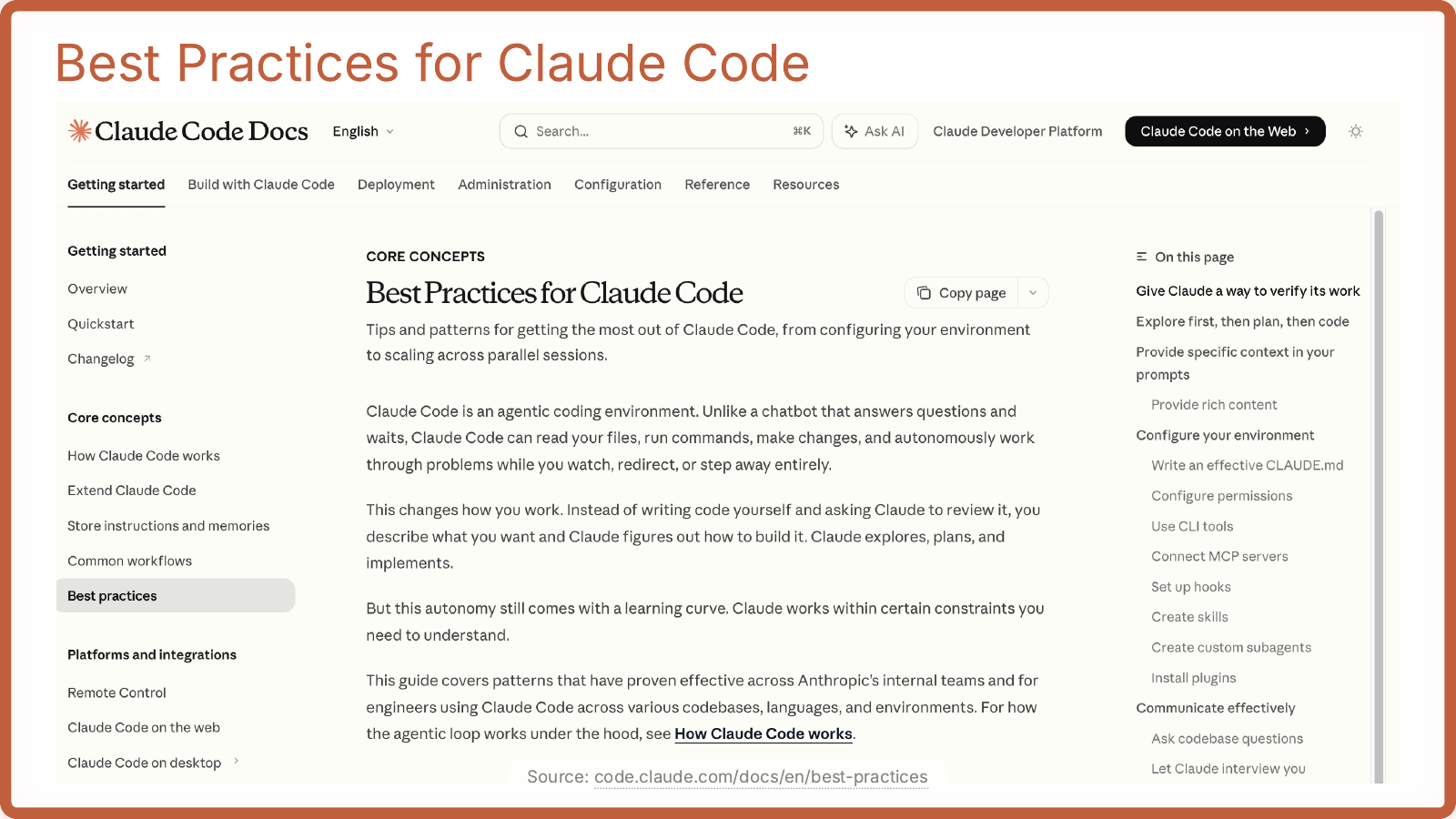
TL;DR
- Claude Code works best as an agent, not just a chatbot.
- The practical setup order is: context, permissions, tools, verification.
- The highest-value habits are: let it verify its own work, give it rich context, and configure the environment instead of re-explaining things every session.
- The most important workflow hint is: let Claude explore first, then plan, then code.
2. Feature Overview Map
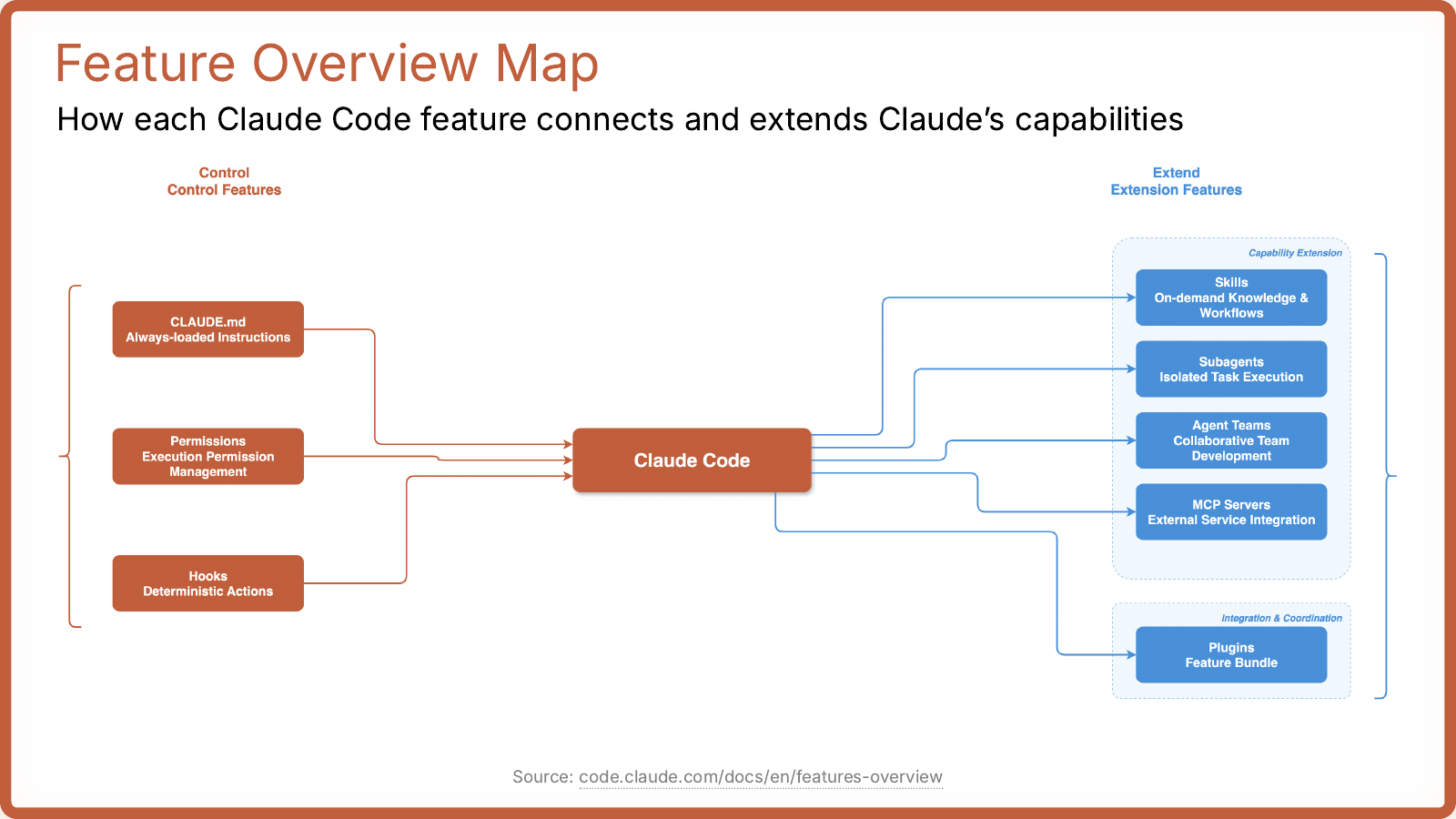
TL;DR
CLAUDE.md,Permissions, andHooksare the control layer.Skills,Subagents,MCP, andPluginsare the extension layer.- Start with the control layer first.
- Add extension features only when your basic setup is already working.
3. CLAUDE.md
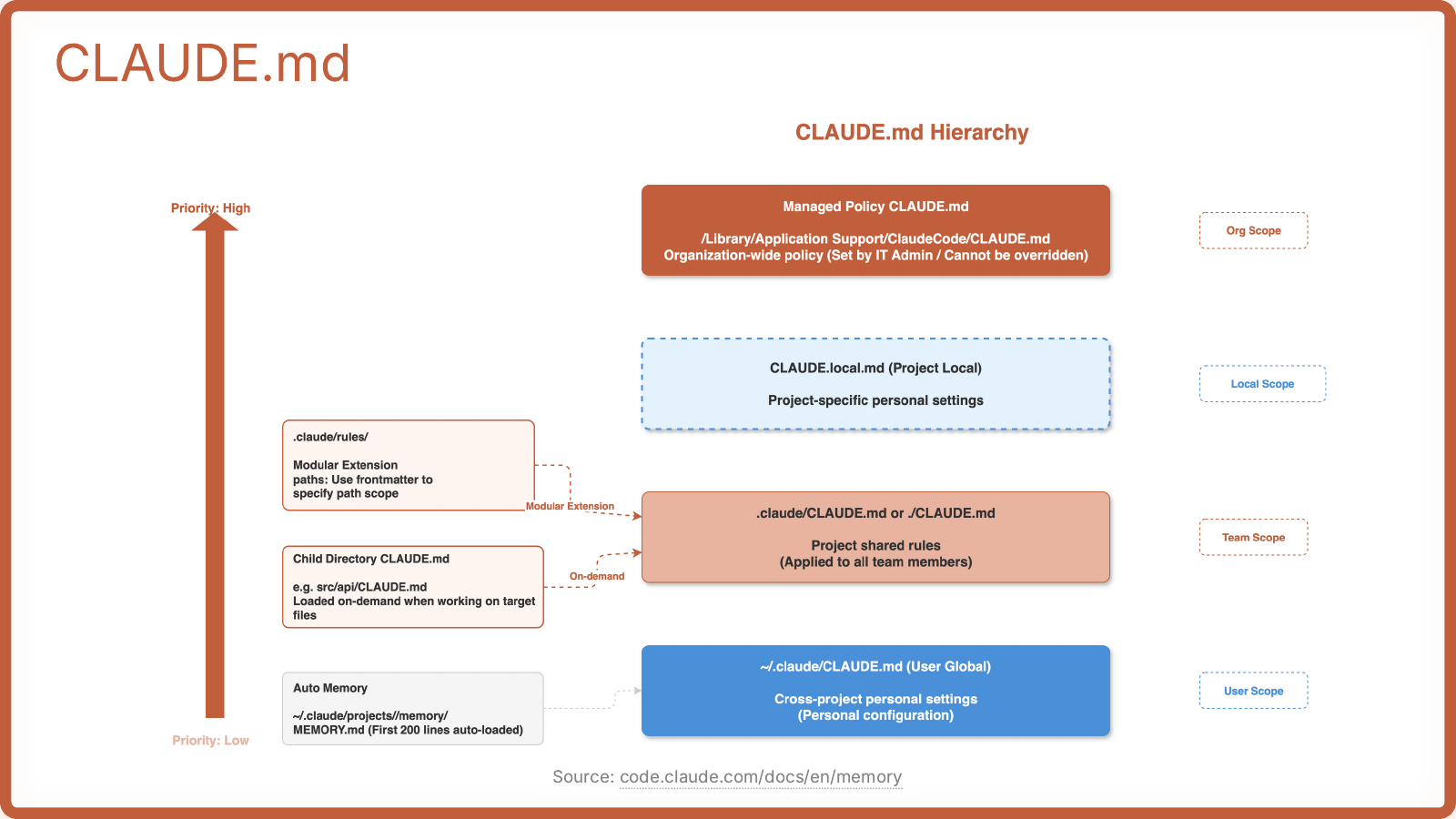
TL;DR
CLAUDE.mdis the main place to put persistent instructions.- Use it for repo conventions, architecture rules, common commands, testing expectations, and domain context.
- Project and team rules belong here before you reach for more advanced features.
- Child-directory
CLAUDE.mdfiles are useful when only part of the repo needs special instructions. - If you are just starting, this is the single highest-leverage thing to set up well.
4. Permissions
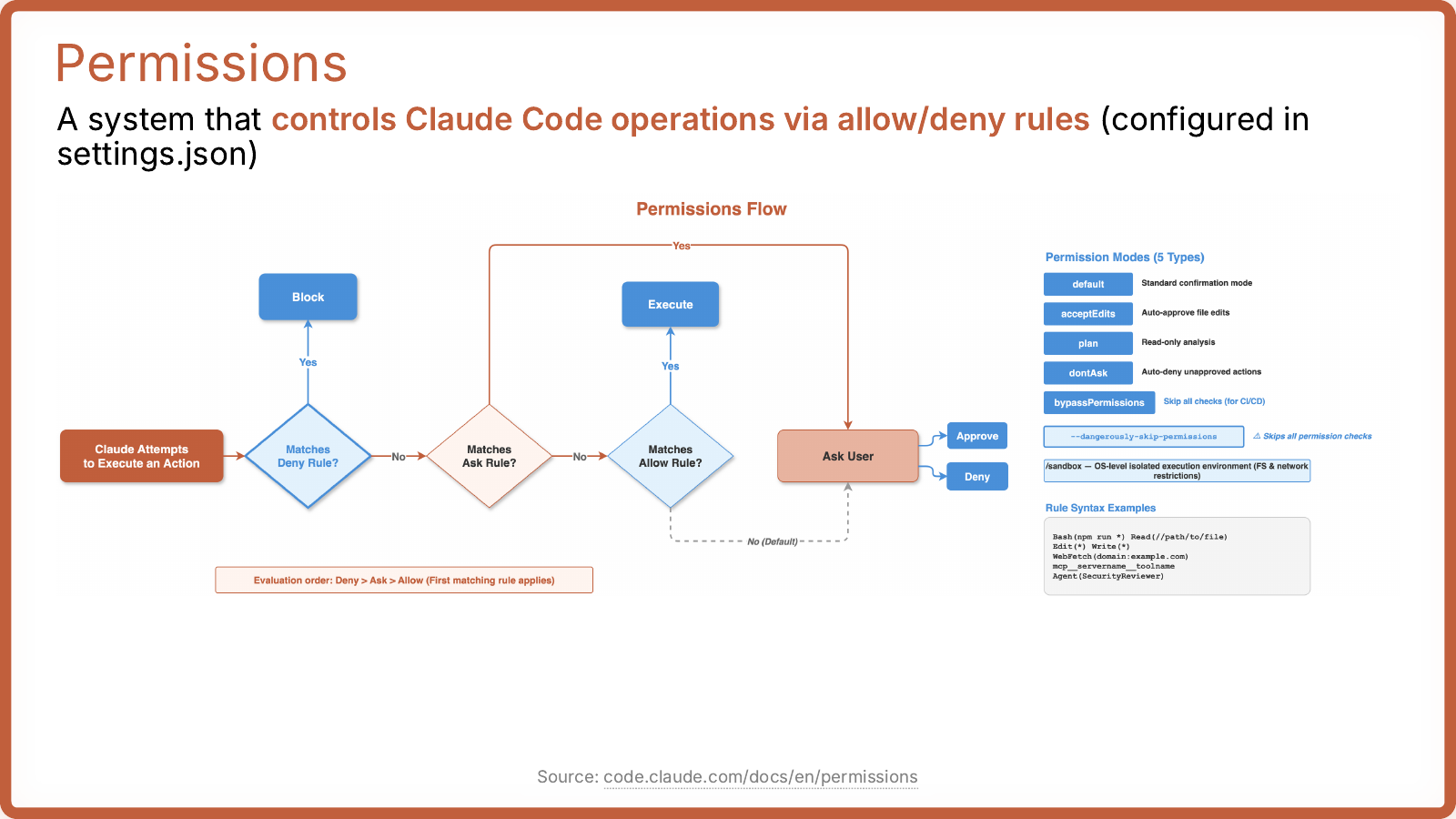
TL;DR
- Permissions decide whether Claude can execute, has to ask, or gets blocked.
- The order that matters is
Deny > Ask > Allow. - This is how you make Claude useful without letting it run wild.
- Set permissions early so normal safe actions are smooth and risky actions still stop.
5. Hooks
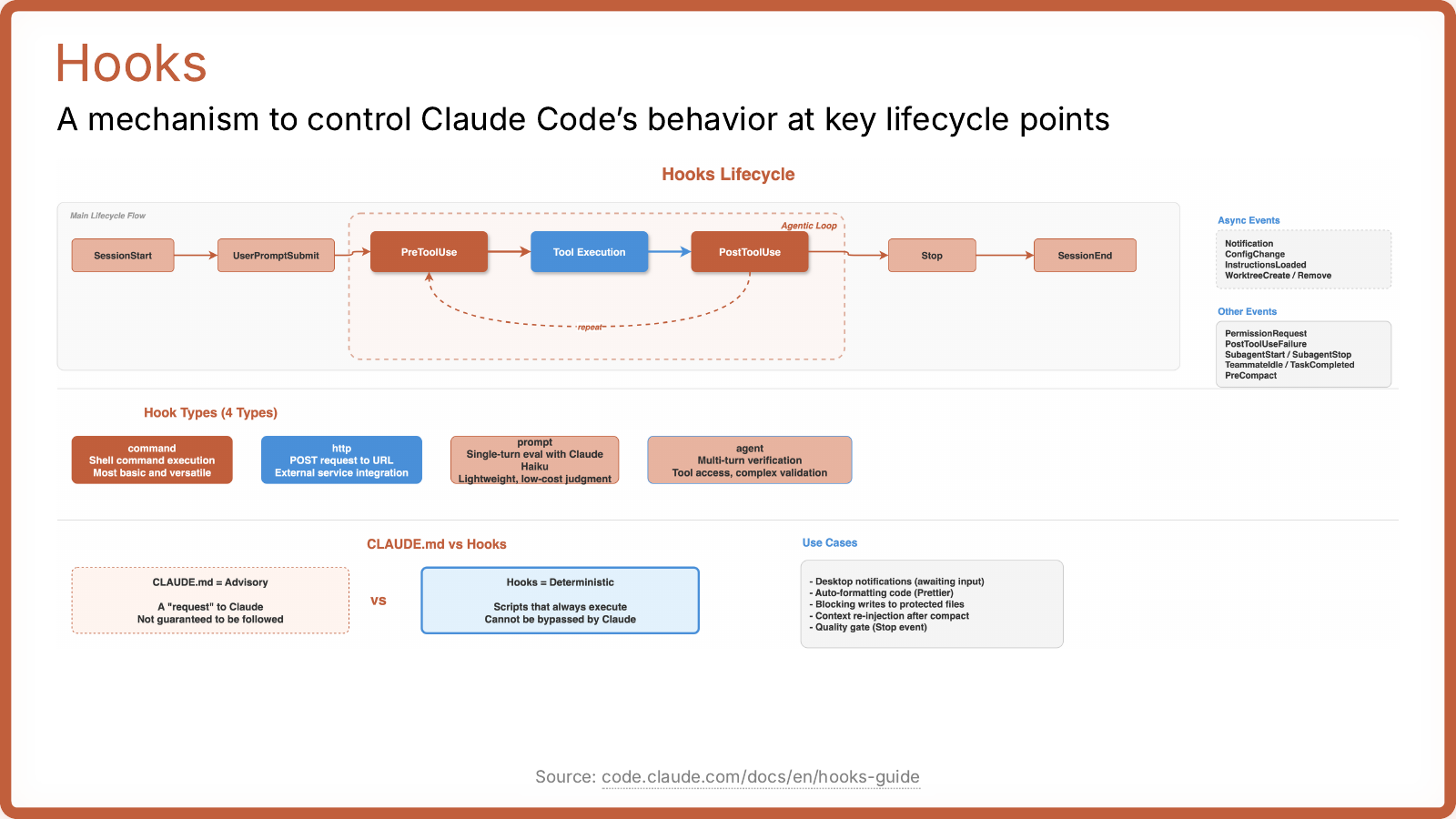
TL;DR
- Hooks are for deterministic automation around lifecycle events.
- Use hooks when you want something to happen every time, not just when Claude remembers.
- Good early uses are formatting, validation, quality gates, protected-file checks, and notifications.
CLAUDE.mdis advice; hooks are enforcement.
6. Skills
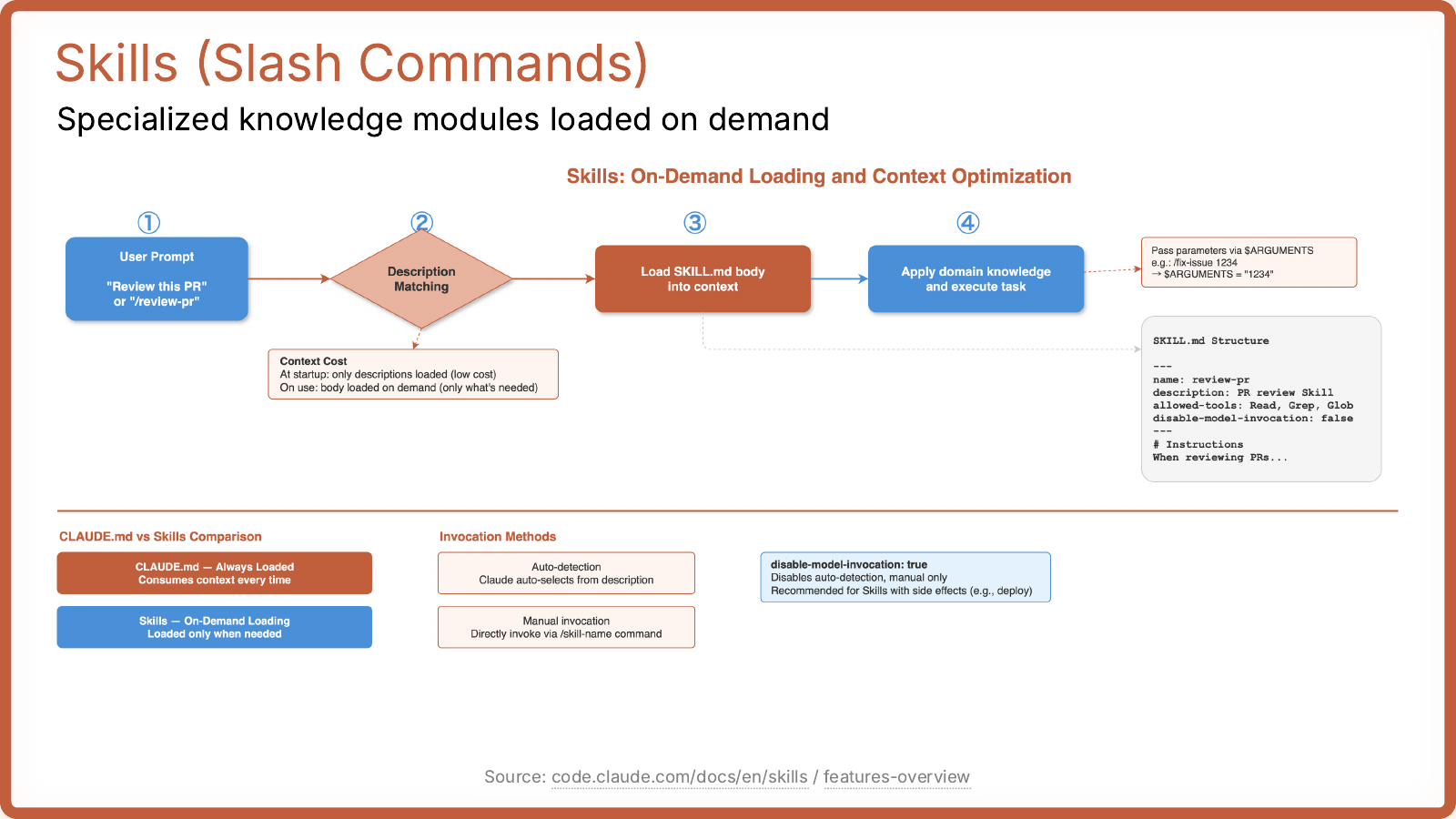
TL;DR
- Skills are reusable workflows loaded only when needed.
- They are better than stuffing everything into
CLAUDE.md. - Use skills for repeated tasks like PR review, deploy steps, release flow, debugging playbooks, or onboarding.
- If you find yourself pasting the same instructions over and over, that should probably become a skill.
7. Subagents
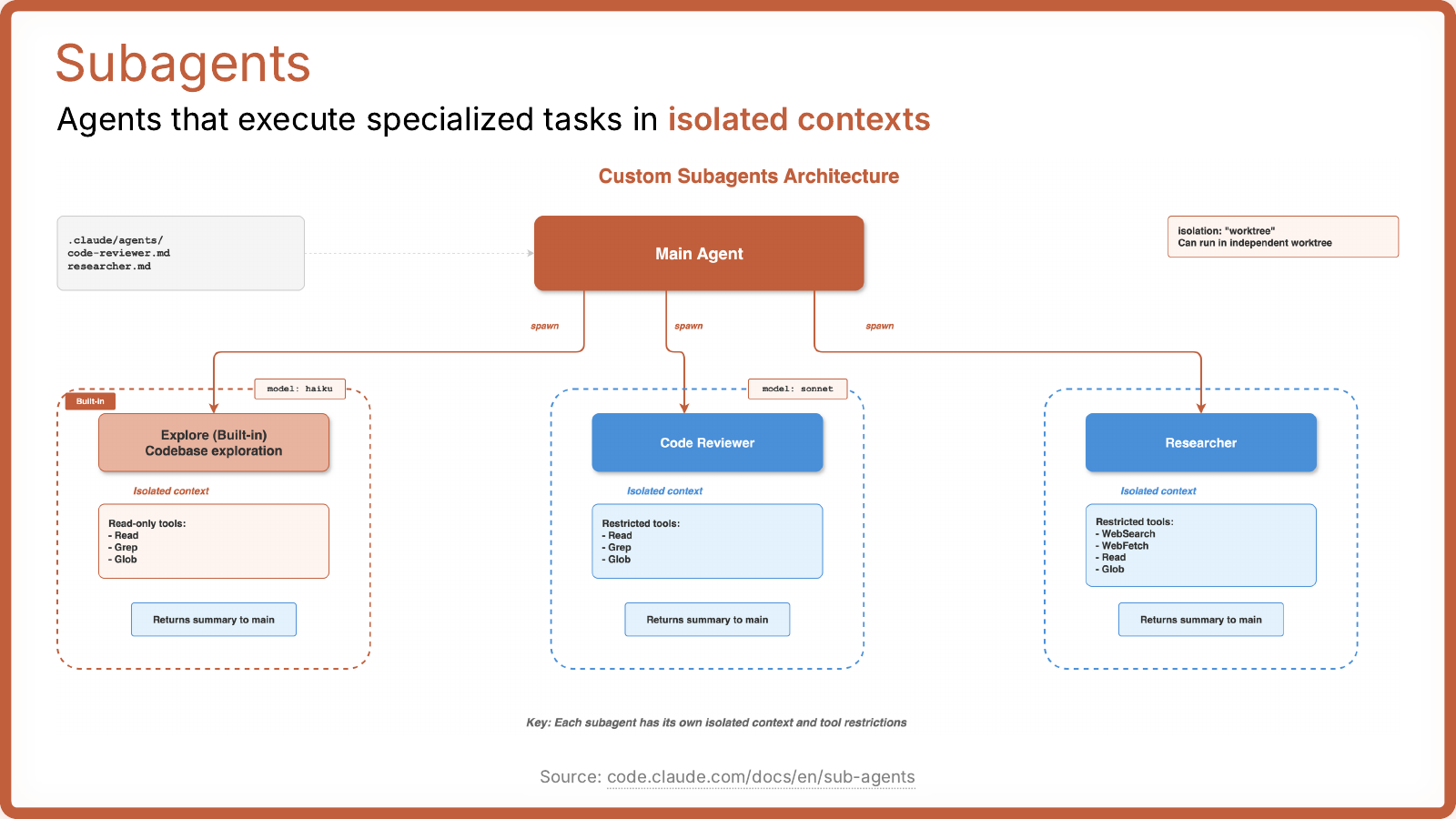
TL;DR
- Subagents are for splitting work into isolated specialist tasks.
- Use them when one agent doing everything starts getting messy.
- Good use cases are code review, research, frontend/backend splits, and bounded investigations.
- This is usually the first advanced feature worth using after
CLAUDE.md, permissions, hooks, and skills are already solid.
8. MCP
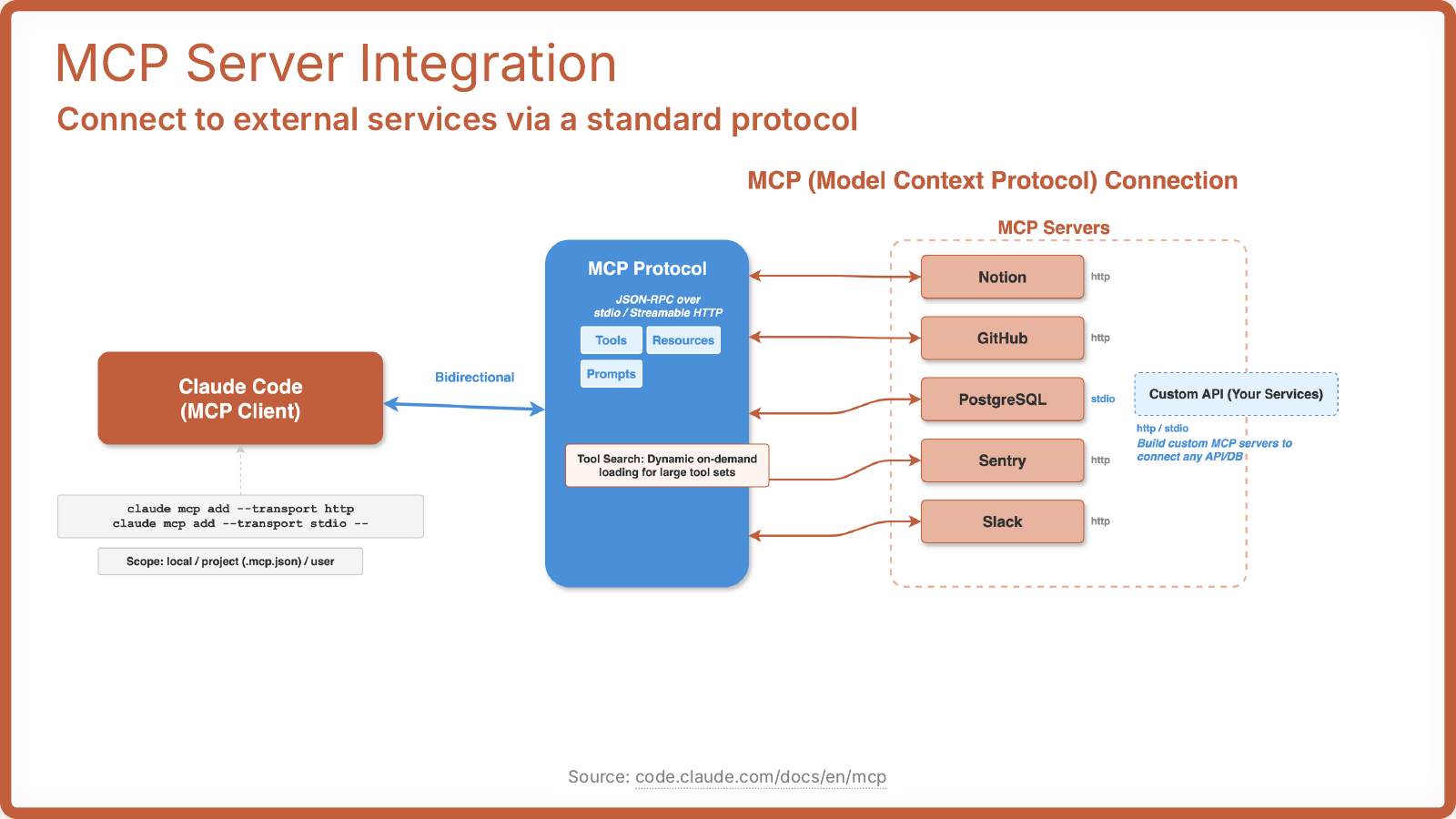
TL;DR
- MCP is the standard way to connect Claude Code to external services.
- Use it when Claude needs structured access to tools, resources, or prompts from outside the repo.
- This matters once your workflow depends on systems like GitHub, databases, Slack, Notion, Sentry, or internal APIs.
- If you do not yet need that, skip it for now.
9. CLI Tool Integration
TL;DR
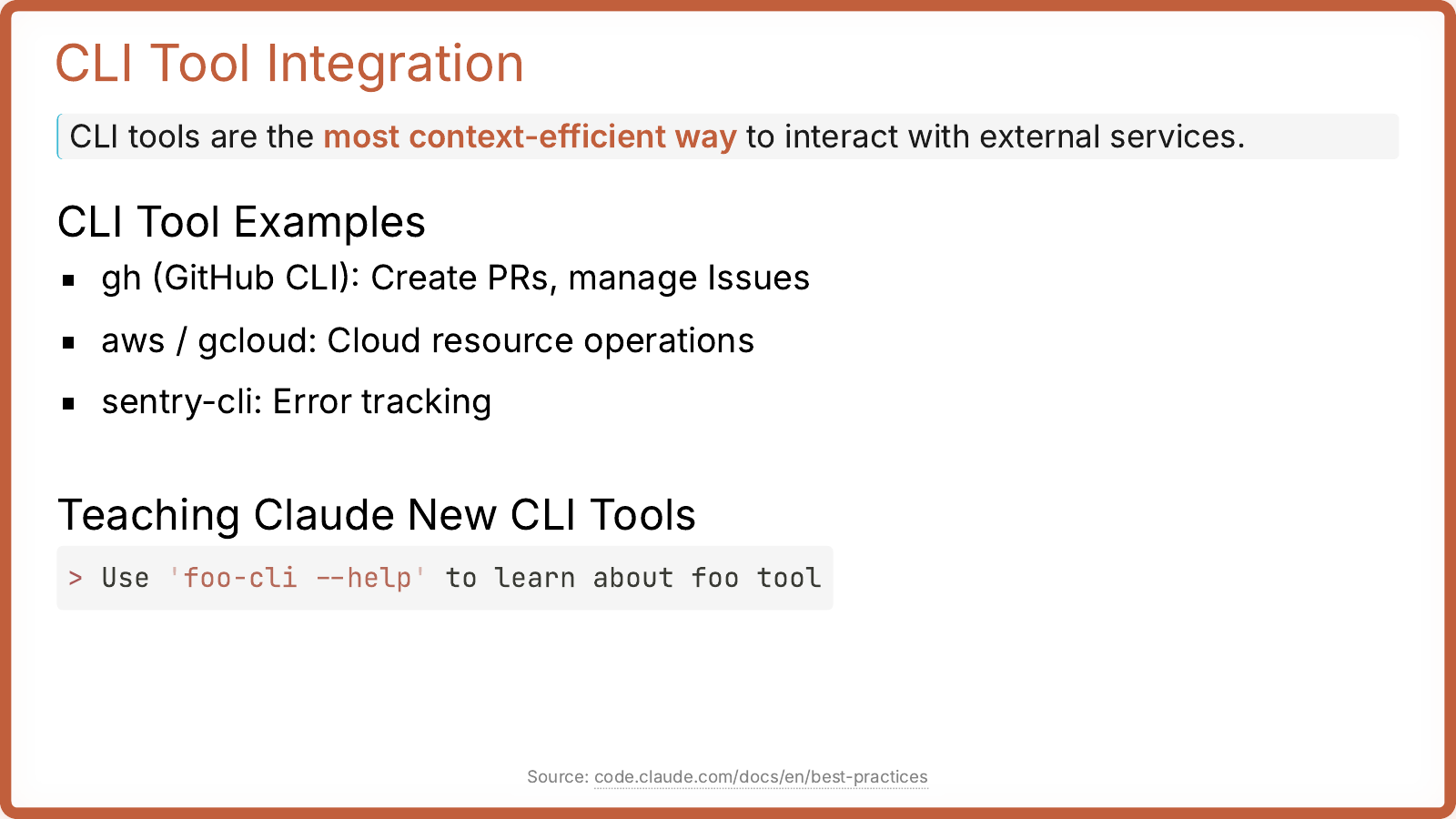
- CLI tools are often the fastest and simplest external integration.
- If you already use
gh,aws,gcloud, orsentry-cli, teach Claude those before building heavier integrations. - A very practical pattern is to tell Claude to inspect
foo-cli --help. - For many people, good CLI access matters before MCP does.
10. Plugins Later
TL;DR
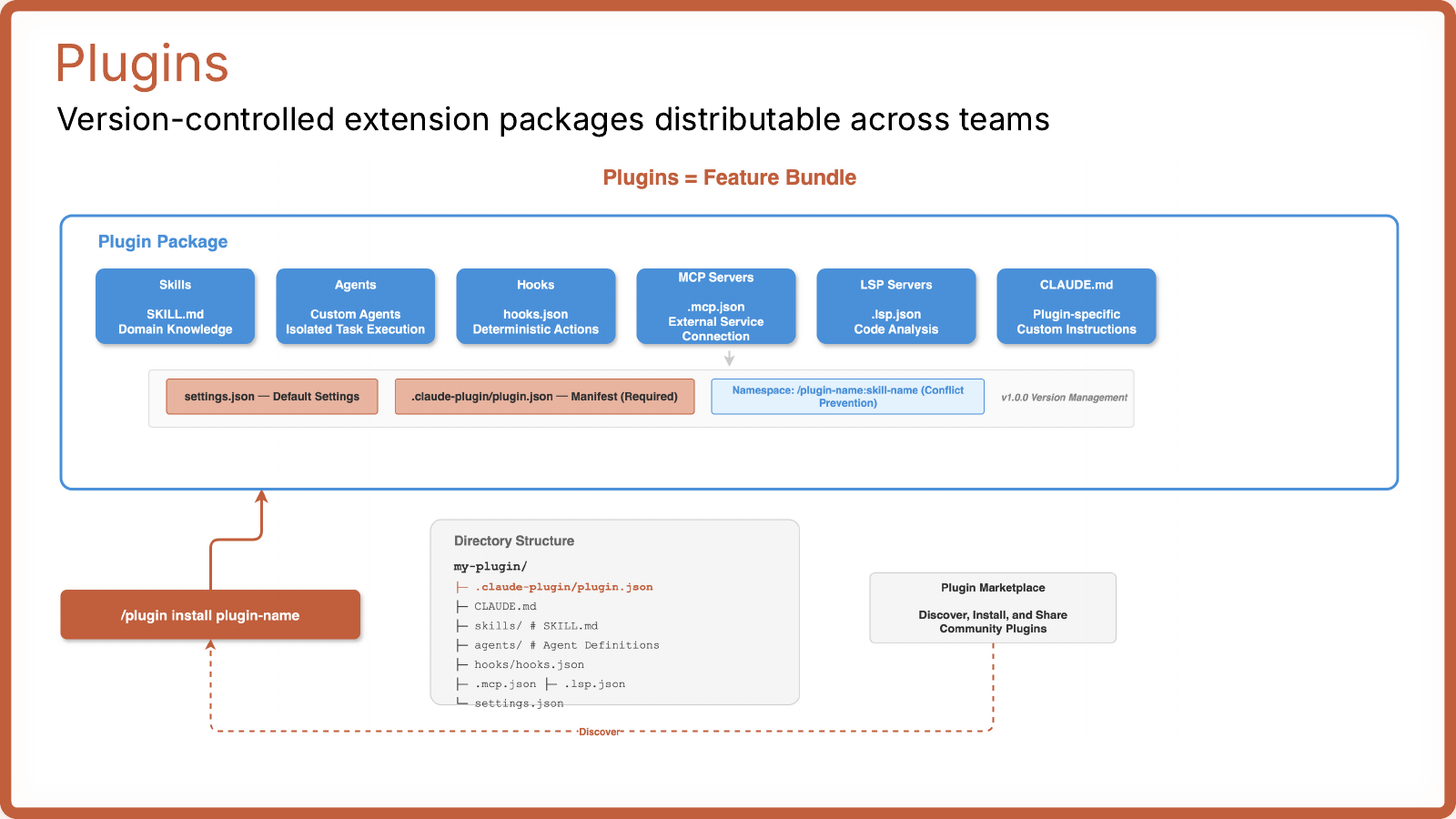
- Plugins bundle multiple Claude Code features into something version-controlled and shareable.
- This is useful for teams, not for day-one setup.
- Care about plugins when local config starts turning into team infrastructure.
11. Agent Teams Later
TL;DR
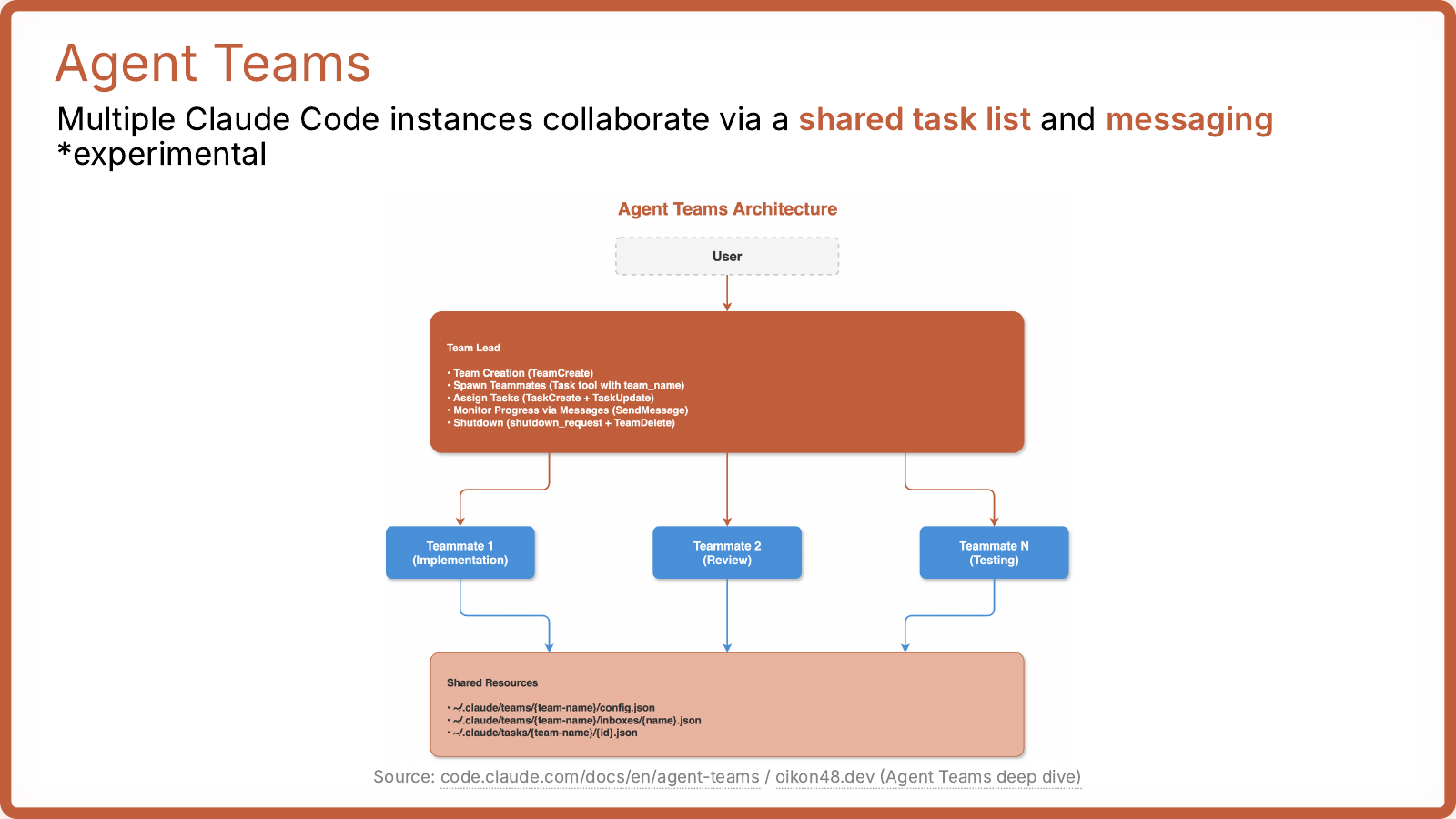
- Agent Teams are for coordinating multiple Claude Code instances.
- This is explicitly experimental in the deck.
- Most people should ignore this until they already know why one main agent plus subagents is not enough.
12. Subagents vs Agent Teams
TL;DR
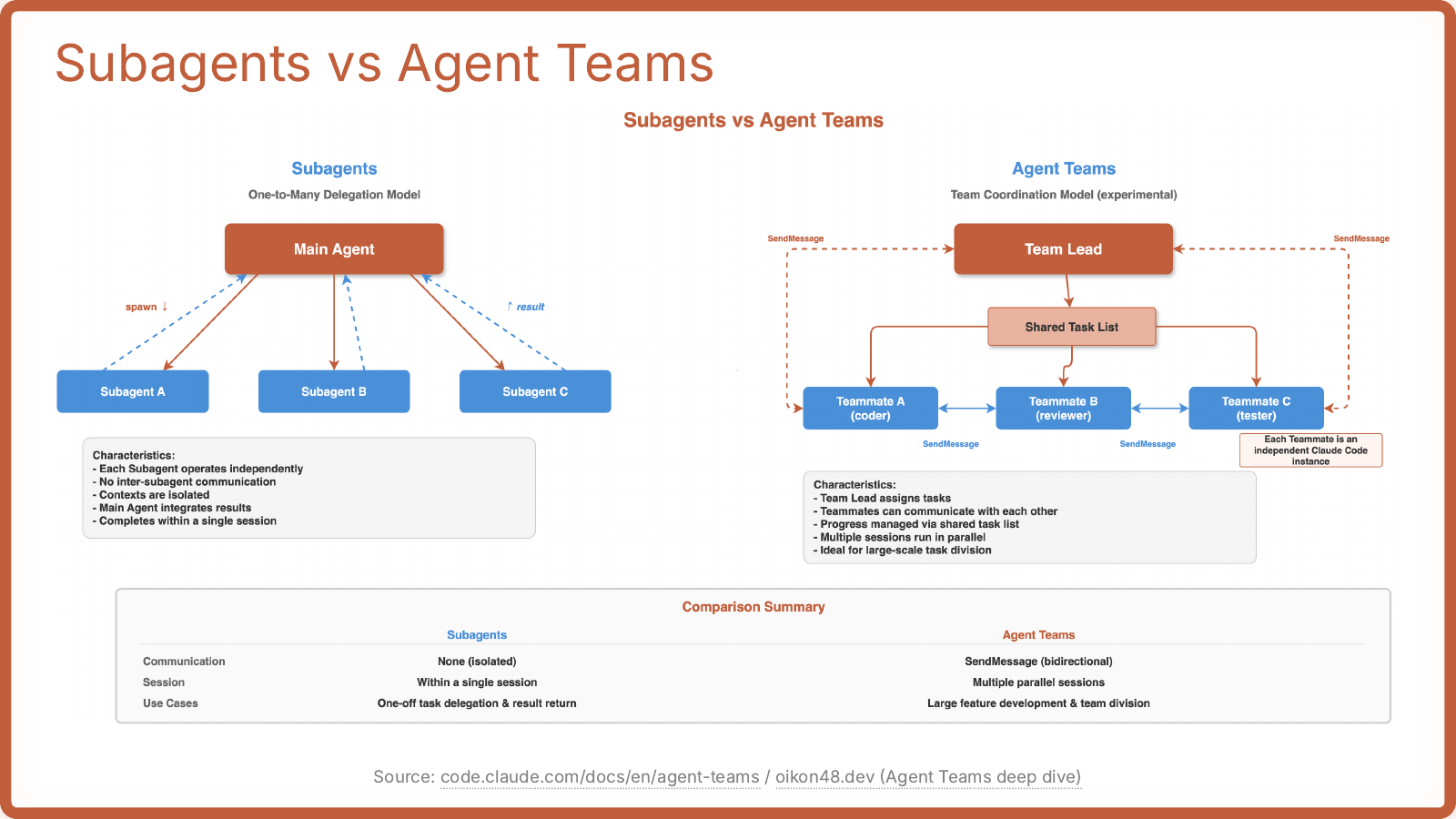
- Use
Subagentsfor one-to-many delegation inside one main session. - Use
Agent Teamsfor broader coordination across multiple parallel agents. - For a beginner/intermediate setup,
Subagentsare the thing to learn;Agent Teamsare optional.
What To Actually Set Up First
If you want the shortest useful setup checklist:
- Write a real
CLAUDE.md. - Configure permissions so safe commands flow and risky ones stop.
- Make your normal tools available.
- Give Claude a way to verify success with tests, screenshots, or expected output.
- Add hooks for repeatable checks.
- Turn repeated workflows into skills.
- Use subagents when task complexity starts to justify them.
Ignore For Now
If you are still getting comfortable with Claude Code, you can safely postpone:
PluginsAgent Teams- deep MCP setup you do not already need
Files
- Note:
derekszen/quickstart-claudecode-pdf.md - Images:
derekszen/assets/quickstart-claudecode-pdf/